Payreq may send service messages about documents, subscriptions, account security, payments and activity in Payreq. The events available in Notification settings depend on your Mailboxes and permissions. Security, verification and other messages needed to provide or protect the service may not be optional.
Before changing a setting, identify which address is receiving the message:
- your login email is managed in your profile;
- document-delivery addresses are managed within each subscription; and
- messages for a shared Mailbox may be affected by its user and notification settings.
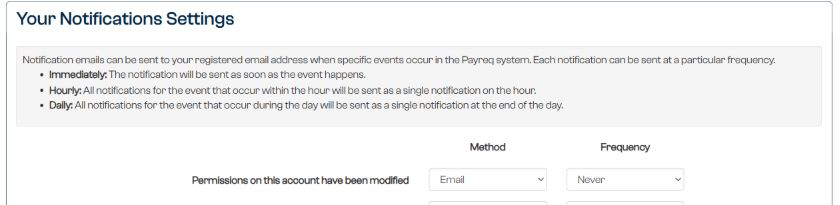
Change account notification frequencies
Sign in to Payreq and go to Account selection.
Open the user menu and select Notification settings.
For each available event, choose an email frequency:
- Never to turn off that event;
- Immediately to receive an email when the event happens;
- Hourly to combine notifications into an hourly email; or
- Daily to combine notifications into an email at the end of the day.
Select Update.
Change the bill payment reminder
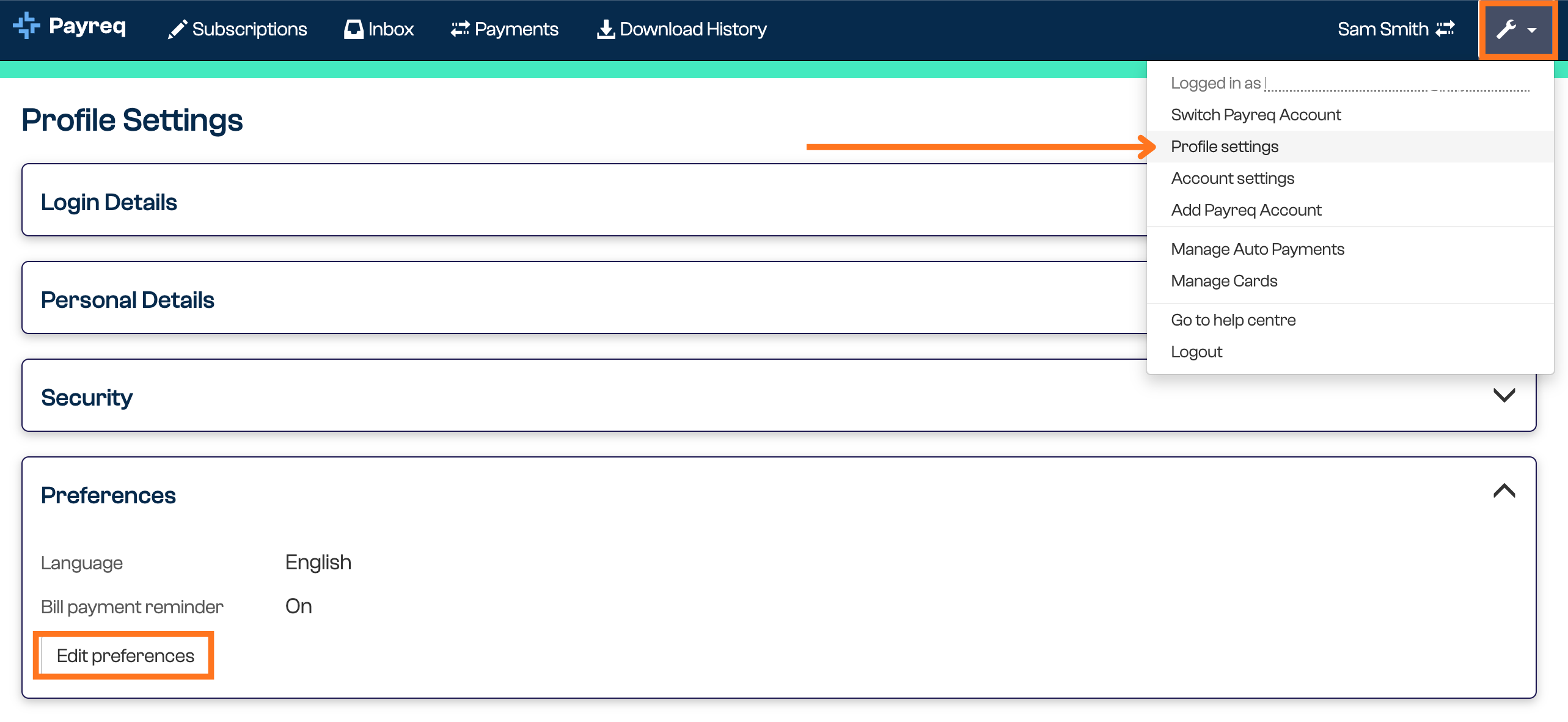
The bill payment reminder is a separate profile preference. When it is on, Payreq emails you three days before the due date.
- Open Profile settings from the user menu.
- Expand Preferences and select Edit preferences.
- Set Bill payment reminder to On or Off.
- Select Save.
If a notification is about a document you should no longer receive, update or stop the relevant subscription and ask the issuing organisation to correct its records. If expected notifications are missing, check your junk or spam folder and the email addresses recorded in Payreq.
Was this article helpful?
That’s Great!
Thank you for your feedback
Sorry! We couldn't be helpful
Thank you for your feedback
Feedback sent
We appreciate your effort and will try to fix the article