Submit a ticket through the Payreq Help Centre when you need help with your Payreq account, subscription or a technical problem.
You do not need to be signed in to Payreq to raise a ticket. The Help Centre is separate from your Payreq account, so signing in at go.payreq.com does not carry across to it, and you can raise a ticket even when you cannot sign in.
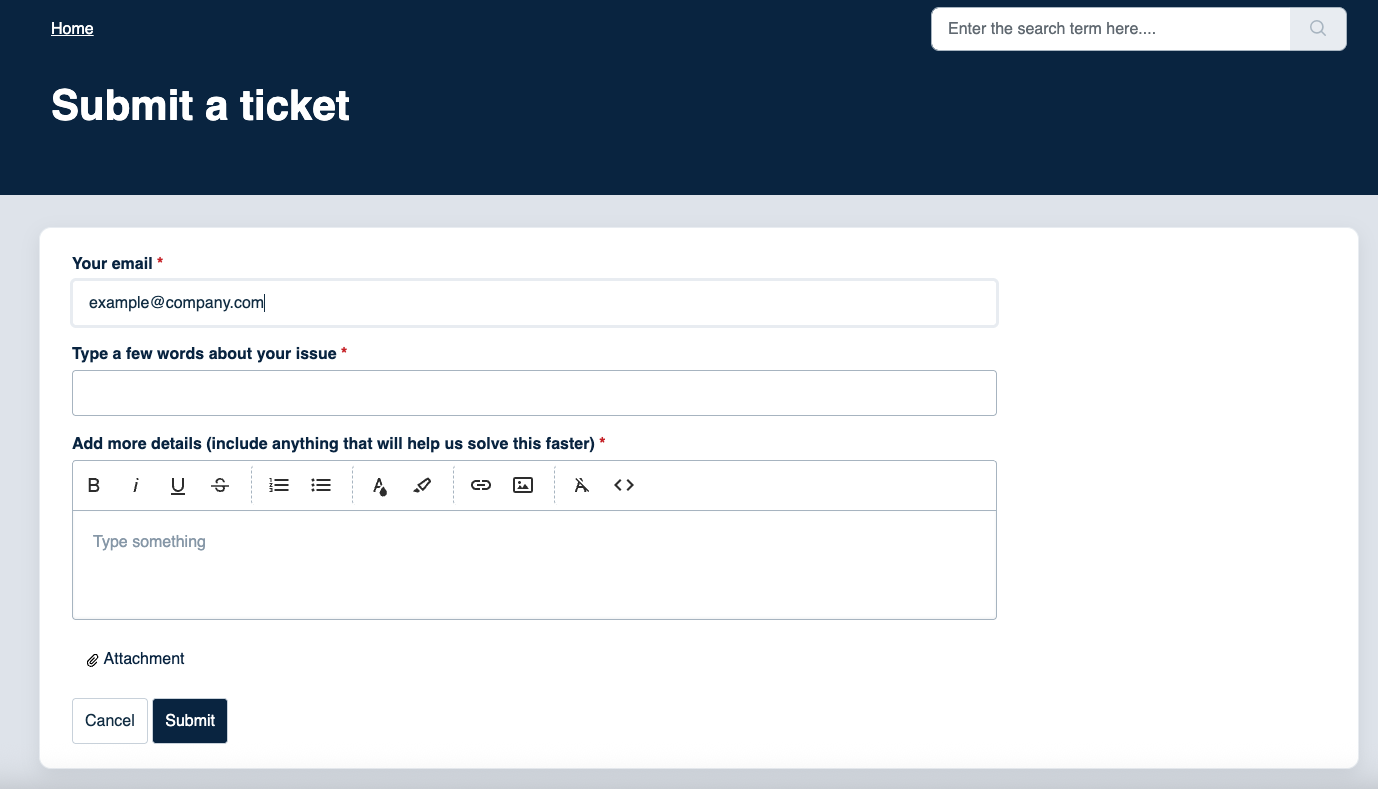
- Select Submit a ticket at the top of the Help Centre.
- In Your email, enter the address where the support team should reply.
- In Type a few words about your issue, give a short description of the problem.
- In Add more details, describe what happened, what you expected and any error shown. Include the relevant organisation and the approximate date and time.
- Attach a screenshot or file if it helps explain the issue. This is optional.
- Select Submit.
Clear details help the support team investigate without asking you to repeat information.
Do not include your password, a live multi-factor authentication code or full payment-card details.
Contact the issuing organisation instead if the question is about a document's amount, content, due date, account details, refund, payment extension or whether a document should have been issued. Contact the connected software provider for access or accounting work performed inside that software.
Was this article helpful?
That’s Great!
Thank you for your feedback
Sorry! We couldn't be helpful
Thank you for your feedback
Feedback sent
We appreciate your effort and will try to fix the article