This is a specialist workflow available from a Payreq Group Mailbox. It creates a payment instruction file for selected bills. You then upload and authorise the file through a bank service that supports BPAY Batch.
Confirm with your bank that its service supports BPAY Batch and the file Payreq generates before relying on this workflow.
- Sign in at go.payreq.com and select the correct Payreq Group Mailbox.
- Open the Inbox.
- Search or filter for the bills you intend to pay.
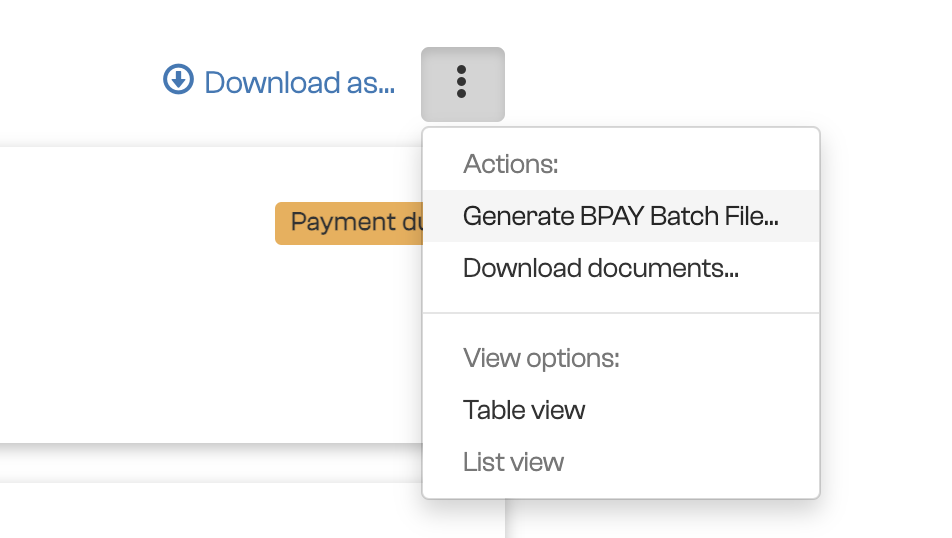
- Open the actions menu and select Generate BPAY Batch File....
- Under Bank Account Details, enter the bank, BSB, account number and payment method requested.
- Select up to 100 unpaid bills to include.
- Choose whether Payreq should mark those bills as paid. This changes their status in Payreq for display only.
- Review the details and select Download.
- Upload the file to the supported batch-payment facility provided by your bank and complete the bank's approval process.
Generating a file does not make the payment. The payment occurs only after the batch is accepted and authorised by your bank.
Before authorising it, compare the bill count and total with your Payreq selection. Check the bank's processing result afterwards and resolve any rejected items through the bank or issuing organisation as appropriate.
Was this article helpful?
That’s Great!
Thank you for your feedback
Sorry! We couldn't be helpful
Thank you for your feedback
Feedback sent
We appreciate your effort and will try to fix the article