Work through these in order. Most forwarding problems are a setup stage that has not been completed, not a fault.
First, check which stage you have reached
Forwarding needs three things, and a connection shown as active only confirms the first:
- the portfolio is connected;
- a forwarding rule exists that covers this bill; and
- the first bill for this property account has been matched to a PropertyMe property.
If bills are not arriving in PropertyMe at all, check that a forwarding rule exists before anything else. A connected account with no rule forwards nothing. See Connecting Payreq Group to PropertyMe.
A new account needs a property match
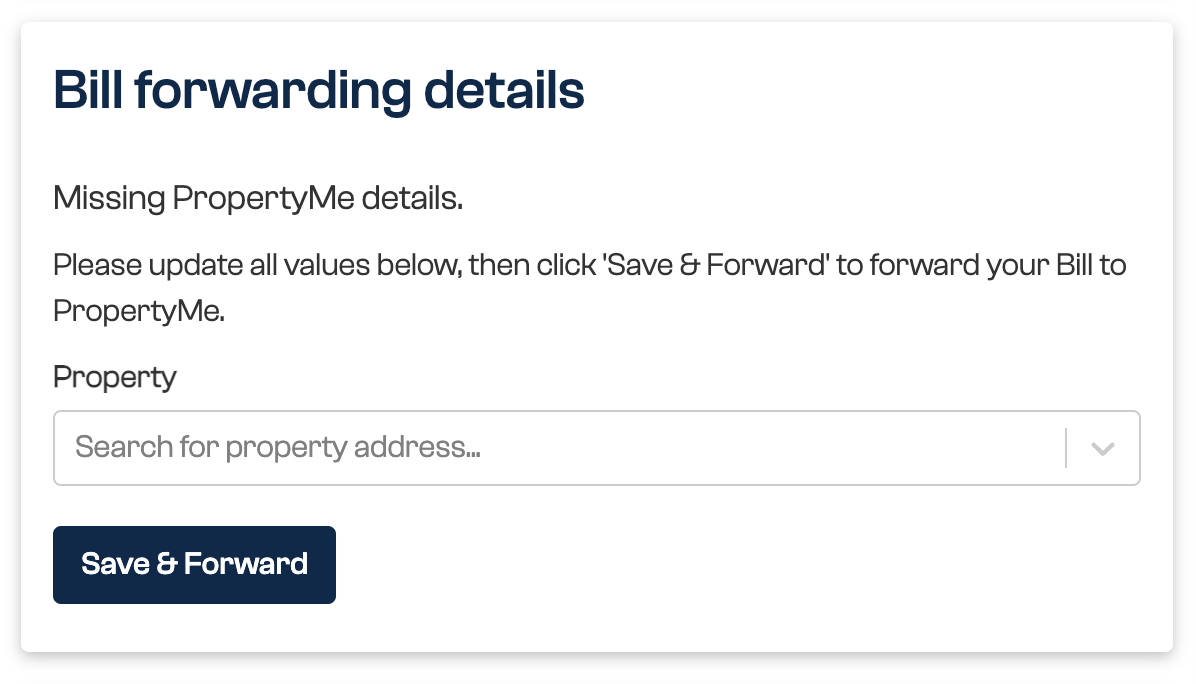
For the first bill received against an account number, open the bill, select the matching PropertyMe property, then save and forward. Payreq uses that match for later bills from the same account.
The Inbox shows Action Required for this document. Open it to find Missing PropertyMe details, search for the property and select Save & Forward.
Common validation problems
The bill reaches Payreq but PropertyMe rejects it. Open the affected document from Failed & Action Required under Advanced search, correct the data in PropertyMe, then select Retry in Payreq.
- A bill must have a valid chart account. Add an account code to the selected PropertyMe supplier.
- A bill must have a valid supplier. Confirm the selected supplier exists and is active in PropertyMe.
- A bill must be for a valid ownership or folio. Confirm the property has an active owner assigned.
The forwarded bill has an unexpected due date
The due date in PropertyMe is set by the option chosen in your forwarding rule, and may deliberately be the date the bill was received rather than the due date on the notice. Check the rule before treating this as an error. See Connecting Payreq Group to PropertyMe.
Everything looks connected but nothing is forwarding
A connection shown as active is not a guarantee that forwarding is working. If the connection appears healthy, a rule exists, the property is matched and bills still are not arriving in PropertyMe, contact Payreq Support.
Do not disconnect and reconnect to try to fix it. Disconnecting removes the forwarding rules you have built, and rebuilding them is manual. See the warning in Connecting Payreq Group to PropertyMe.
Water usage billed to a tenant
Choose the approach that matches your process:
- forward the water bills to PropertyMe, review them there and create the required tenant invoices; or
- do not create a forwarding rule for water notices, then download them as individual PDFs and upload them to PropertyMe using its water-notice workflow.
A property keeps being added and removed
If a property you have archived in PropertyMe keeps reappearing, or a subscription is repeatedly removed and re-created, the issuing organisation's records and PropertyMe disagree about who manages the property.
Repeating the action will not settle it. Contact the issuing organisation to have their records corrected, and contact Payreq Support with the property and account number so the activity can be stopped in the meantime.
When to contact Payreq Support
Contact Payreq Support if the connection is active, a rule exists, the property is matched, the required PropertyMe data is present, and the bill still cannot be forwarded.
Include the exact error message and the affected account number. Do not include any software passwords.
Was this article helpful?
That’s Great!
Thank you for your feedback
Sorry! We couldn't be helpful
Thank you for your feedback
Feedback sent
We appreciate your effort and will try to fix the article