Connect your Payreq Group account to the PropertyMe portfolio that should receive forwarded bills.
Setup has three stages, not one
Bills do not forward until all three are done. A connection shown as active only tells you the first stage is complete.
- Connect the portfolio. Authorise Payreq to reach your PropertyMe portfolio.
- Create forwarding rules. Decide which bills go where. Without a rule, a connected account forwards nothing.
- Match the first bill for each property. The first bill received for a property account has to be linked to the matching PropertyMe property by hand. Later bills for the same account use that match.
Most setup problems are one of these stages being skipped rather than something being broken.
Stage 1: Connect the portfolio
- Sign in to Payreq and select the correct Payreq Group account.
- Open Account Settings, then expand the PropertyMe connection.
- Select Connect to PropertyMe.
- Sign in to PropertyMe with an account authorised to connect the required portfolio. If the portfolio is not listed, sign in with the PropertyMe administrator's credentials.
- Select the correct portfolio and allow access. Do not select Mytown Properties, which is a PropertyMe demonstration portfolio.
- Return to Payreq and confirm the connection is shown as active.
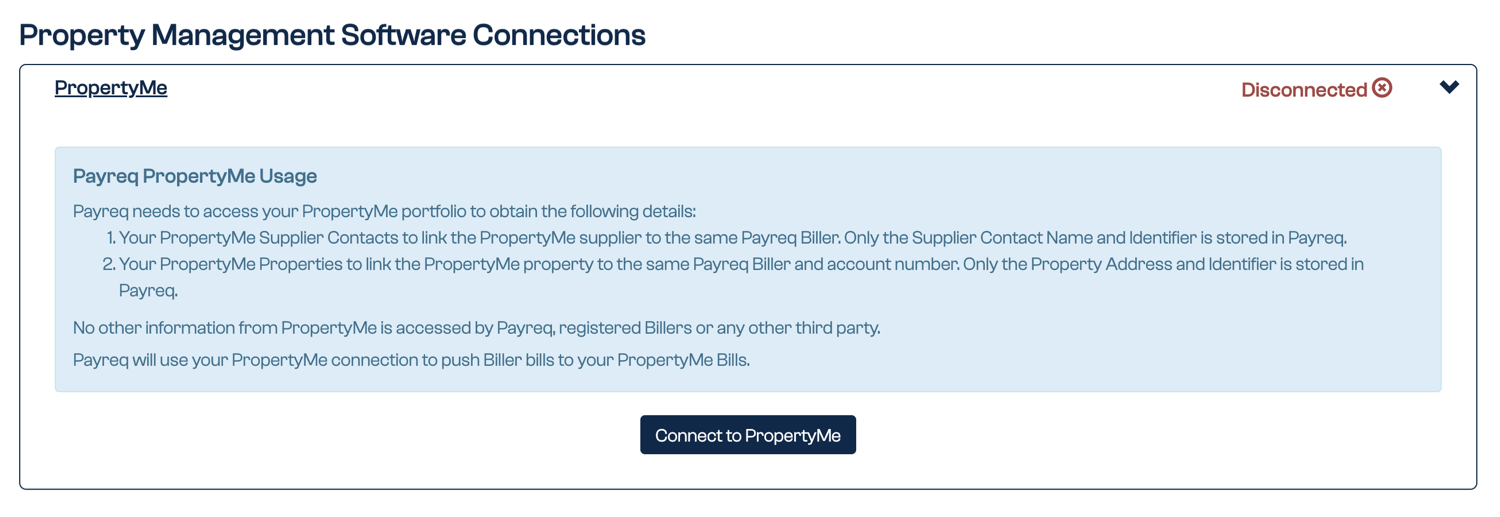
Payreq uses the connection to read PropertyMe supplier contact names and identifiers, and property addresses and identifiers. It stores those details so it can link a Payreq organisation and account to the matching PropertyMe supplier and property. The current connection notice states that no other PropertyMe information is accessed.
Stage 2: Create forwarding rules
- Open Settings, then Forwarding Rules.
- Select Add Rule.
- Choose the issuing organisation, then choose Bills & Reminders, Bills Only or Bills & Reminders where account number starts with.
- Select the active PropertyMe connection and the matching supplier.
- Set the tax and due-date options shown.
- Save the rule, and repeat for each combination you need.
Choosing the due date
The due date a forwarded bill carries in PropertyMe is set by your rule. The current options are:
- One month before due date of the bill;
- Date the bill is received; and
- Due date of the bill.
Depending on the option you choose, the date can differ from the due date printed on the notice because PropertyMe uses it to start reserving funds.
Decide deliberately which you want, and tell whoever reconciles the bills what you chose. This is the most common source of confusion about forwarded bills having the "wrong" date.
Stage 3: Match the first bill
The first bill for each property account arrives in Payreq without a PropertyMe property attached to it, and cannot be forwarded until you select the match.
Open the bill, select the matching PropertyMe property, then save and forward it. Payreq uses that match for later bills from the same account.
This is expected on a first bill. It is not a sign that the connection failed.
Where forwarded bills appear
Forwarded bills appear in PropertyMe under Accounts > Bills, with the due date set by the rule you chose.
Before you disconnect
A broken connection and a disconnection are different things. If PropertyMe stops accepting the connection, for example because the key is rejected, your forwarding rules and property matches are kept, so reconnecting restores the setup.
Deliberately disconnecting is not the same. It removes your PropertyMe forwarding rules. Payreq tells you so before it happens: the confirmation dialog reads "All PropertyMe forwarding rules will be removed." An agency with several hundred rules has previously had to rebuild them by hand after an unintended disconnection.
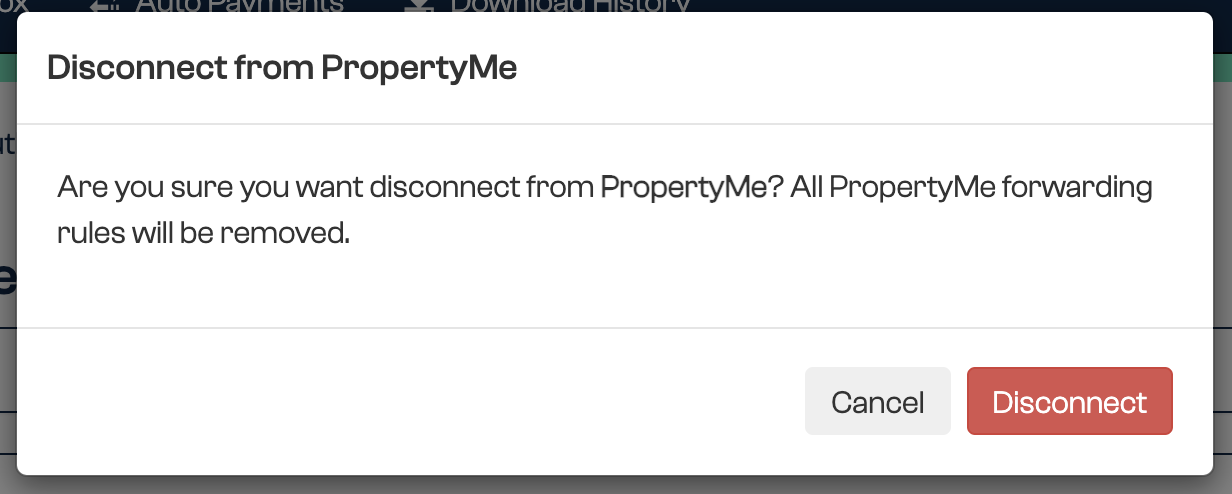
So do not disconnect as a troubleshooting step. If forwarding has stopped, contact Payreq Support and describe the problem rather than disconnecting to reset it. If you do need to disconnect deliberately, expect to check your rules afterwards.
This also differs from the accounting integrations. Disconnecting Xero, MYOB or Reckon deregisters the subscriptions linked to it. Disconnecting PropertyMe does not deregister your Payreq subscriptions: documents keep arriving in Payreq, they just stop being forwarded.
You continue to receive documents in Payreq while PropertyMe is disconnected, and you can still download them in bulk. See Downloading documents in bulk.
Related guides
Was this article helpful?
That’s Great!
Thank you for your feedback
Sorry! We couldn't be helpful
Thank you for your feedback
Feedback sent
We appreciate your effort and will try to fix the article